How to Access Temp Email Inbox
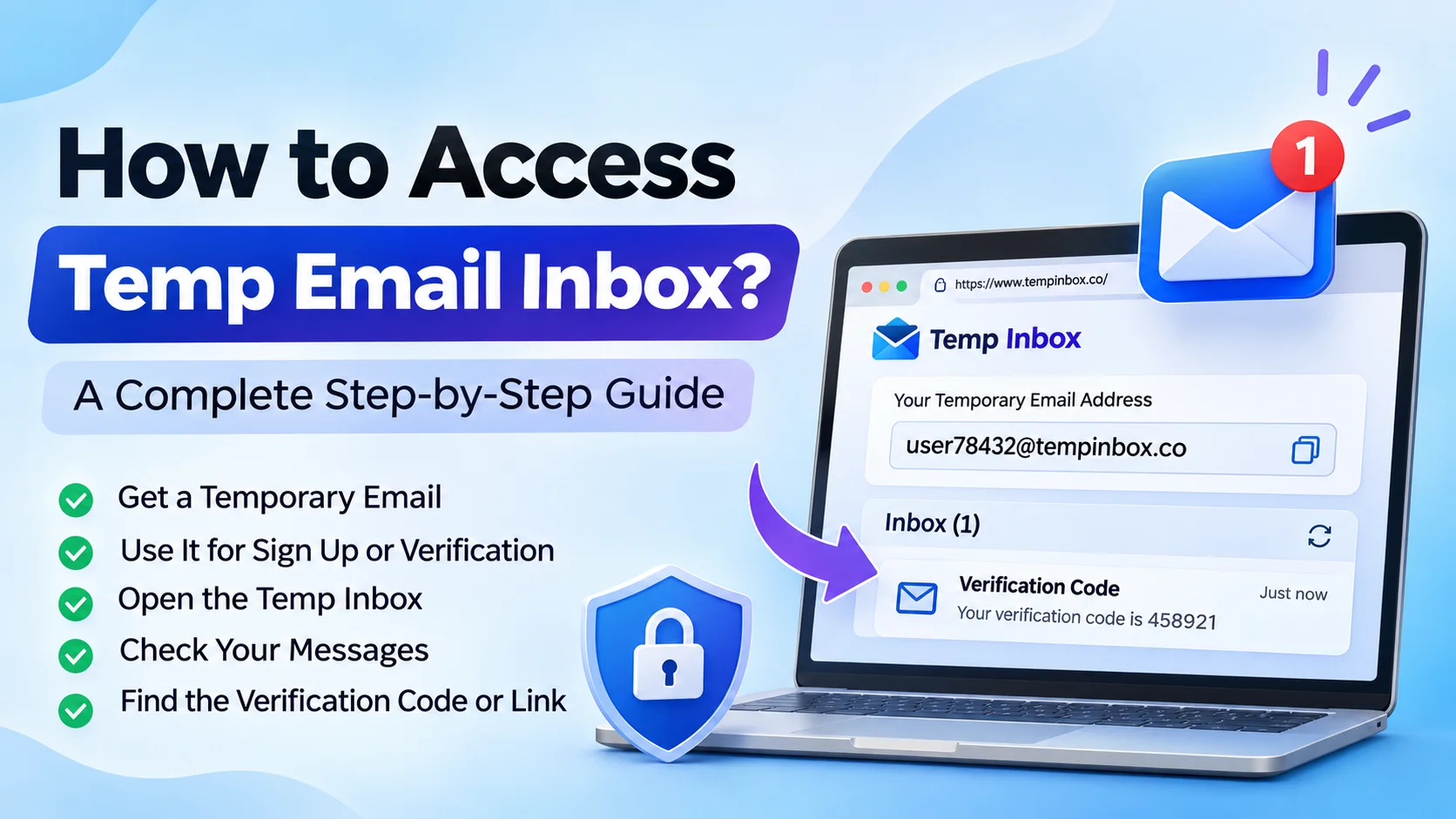
How to Access Temp Email Inbox? A Complete Step-by-Step Guide
Have you ever signed up for a website just to download a file, read an article, or access a free resource, only to find your inbox flooded with promotional emails later? This is a common problem when using your personal email address for every online registration.
A temporary email address can help avoid this situation. It gives you a separate email address for short-term activities, allowing you to receive verification codes, registration links, and other messages without sharing your primary email.
But creating a temporary email address is only the first step. You also need to know how to access your temp email inbox, check incoming messages, and find important verification emails.
The good news is that accessing a temporary email inbox is usually simple and does not require installing software or creating an account. In this guide, we will explain the entire process, including how to check messages, retrieve OTPs, troubleshoot common problems, and use temporary email services safely.
Need a temporary email address?
Get a temporary inbox to receive emails without sharing your personal email address.
What Is a Temp Email Inbox?
A temp email inbox is a temporary mailbox that allows you to receive emails without using your regular email address.
Unlike Gmail, Outlook, or Yahoo Mail, most temporary email services do not require a lengthy registration process. You can visit a temporary email website, receive an automatically generated email address, and start receiving messages.
For example, suppose you want to register on a website that requires email verification. Instead of providing your personal Gmail address, you can use a temporary email address.
The website sends a verification email to that address, and you can open your temp inbox to read the message.
Temporary email services are commonly used for:
- Website and app registrations.
- Receiving email verification links and OTPs.
- Downloading free resources that require registration.
- Testing website registration forms.
- Avoiding unwanted promotional emails.
- Accessing online services that require an email address.
However, temporary inboxes are not suitable for every situation. They should not be used for banking, financial accounts, password recovery, or services where you need permanent access to your messages.
How to Access a Temp Email Inbox? (Step-by-Step Guide)
Accessing a temporary email inbox generally takes just a few seconds. Follow these simple steps to get started.
Step 1: Open a Temporary Email Website
First, visit a temporary email service through your browser. You do not usually need to download an application or install any extension.
Once the website loads, it may automatically generate a temporary email address for you.
For example:
The actual email address will depend on the service you are using.
Step 2: Copy Your Temporary Email Address
After opening the website, look for the displayed email address.
Most temporary email services provide a copy button next to the address. Click it to copy the email address to your clipboard.
You can now paste this address into the registration or sign-up form of the website you want to use.
Make sure you copy the complete address correctly. Even a small typing mistake can prevent you from receiving the email.
Step 3: Use the Address to Receive an Email
Visit the website or application where you need email verification.
Enter your temporary email address in the email field and complete the required registration steps.
For example, if a website asks you to verify your email address, enter the temporary address instead of your personal email.
Click the verification or send code button. The website will send a message to your temporary inbox.
Step 4: Open Your Temp Email Inbox
Return to the temporary email website where you generated your email address.
You should find an inbox or message section on the same page. Incoming emails generally appear automatically, although some services may require you to refresh the inbox.
Wait a few seconds for the message to arrive.
Once the email appears, click its subject line to open and read the message.
Step 5: Find Your Verification Code or Link
If you are registering on a website, the incoming email may contain a verification code, OTP, or confirmation link.
Open the message and look for the required information.
- Verification code: A numerical code used to confirm your email address.
- Confirmation link: A clickable link to verify your email address.
- Registration confirmation: A message confirming that your email has been successfully registered.
Copy the code or click the verification link, depending on what the website requires.
Return to the original registration page and complete the verification process.
Step 6: Refresh the Inbox If No Email Arrives
Sometimes, an incoming email may take a little longer to appear.
If you cannot find the message, try refreshing the temporary inbox or waiting for another 30–60 seconds.
Also, check whether the email address was entered correctly on the registration page.
How to Check Incoming Emails in a Temporary Inbox
Checking incoming emails in a temp email inbox is similar to using a regular email service, but the available features may be limited.
Most temporary email websites display incoming messages in a simple inbox interface.
You may see information such as:
- Sender's email address.
- Email subject.
- Time the message was received.
- Message content.
- Verification links or codes.
Click on any message to view its contents.
Some services also provide options to refresh the inbox, copy the email address, or delete messages.
Keep in mind that temporary email services work differently. Some automatically update the inbox, while others require manual refreshing.
Want to receive emails without using your personal inbox?
Try a temporary email address for your short-term online activities.
What to Do If a Verification Email Is Not Arriving?
One of the most common problems users face is not receiving verification emails in their temporary inbox.
You may have entered the correct email address, clicked the send code button, and still see an empty inbox.
Here are some possible reasons and solutions.
1. Wait for a Few More Seconds
Email delivery is not always instant. Depending on the sending website and email server, a message may take some time to arrive.
Wait briefly and refresh your inbox.
2. Check the Email Address
Make sure you entered the correct temporary email address during registration.
If you accidentally copied an incomplete address or used an older address, the verification email may not reach your current inbox.
3. The Website May Block Temporary Email Addresses
Some websites actively identify and block disposable email domains to prevent fake registrations or abuse.
If the website does not accept your temporary address, you may need to use a regular email account.
Do not repeatedly attempt to bypass restrictions on services where temporary addresses are not permitted.
4. Refresh the Inbox
Some temporary email services do not automatically display new messages.
Click the refresh button, if available, and check again.
5. Request a New Verification Email
If the original message never arrives, return to the website and request another verification email.
Avoid requesting multiple codes within a short period because some websites may temporarily restrict additional requests.
Can You Access a Temp Email Inbox Without Signing Up?
Yes. Many temporary email services allow users to access an inbox without creating an account.
When you visit the website, it automatically generates a temporary email address. You can use that address to receive incoming messages immediately.
This makes temporary email useful when you need an email address for a quick online task.
However, no-registration access does not automatically mean complete privacy.
Some temporary inboxes may be publicly accessible or shared, depending on how the service operates. Anyone who knows or guesses an inbox address might potentially access its messages if the service does not provide additional protection.
Therefore, never use a public temporary inbox to receive sensitive information.
How Long Can You Access a Temporary Email Inbox?
The availability of a temporary email inbox depends on the service provider.
Some services keep inboxes active for a few minutes, while others allow access for several hours or longer.
There are also services that delete messages automatically after a specific period.
Before using a temporary email address, understand the service's retention policy.
For example, if you are expecting a verification email, make sure the inbox remains available long enough for you to receive and open it.
If you need to access an account again after several days, a temporary email address may not be a suitable option.
Once an inbox expires or is deleted, you may lose access to its messages permanently.
Is It Safe to Access a Temp Email Inbox?
Temporary email services can be useful for reducing spam and limiting how often you share your primary email address. However, they should not be treated as completely secure or anonymous communication platforms.
The level of privacy depends on the service provider, inbox design, data retention policy, and security practices.
Here are some important precautions to follow.
Avoid Using Temporary Email for Important Accounts
Do not use temporary email addresses for banking, payment applications, government services, insurance accounts, or other important platforms.
If you lose access to the temporary inbox, you may also lose the ability to receive password reset links and important notifications.
Never Share Sensitive Information
Avoid receiving passwords, financial details, personal documents, or confidential business information through a public temporary inbox.
If an inbox is accessible to other people, your messages may be exposed.
Be Careful With Unknown Links
An email received in a temporary inbox is not automatically safe.
Check the sender and destination of any link before clicking it. Be especially careful with unexpected attachments, suspicious offers, and messages asking for personal information.
Understand the Service's Privacy Policy
Before using a temporary email service, check whether it stores messages, how long inboxes remain active, and whether inboxes are private or publicly accessible.
A temporary email address can reduce unnecessary exposure of your primary email, but it cannot guarantee complete anonymity or protection from online tracking.
Temporary Email vs. Regular Email: Which One Should You Use?
Both temporary and regular email services have their own advantages. The right option depends on what you want to accomplish.
| Feature | Temporary Email | Regular Email |
|---|---|---|
| Registration | Often not required | Usually required |
| Setup time | Very quick | Takes longer |
| Long-term access | Limited or service-dependent | Designed for ongoing use |
| Spam reduction | Helps limit unwanted emails to your main inbox | Depends on filters and settings |
| Account recovery | Generally unsuitable | Suitable |
| Sensitive communication | Not recommended for public inboxes | Better with appropriate security |
| Email storage | Often temporary | Usually persistent |
If you only need to receive a one-time verification email or test a website, temporary email can be convenient.
For personal communication, work, financial services, and long-term accounts, a regular email service is the better choice.
When Should You Use a Temporary Email Service?
Temporary email is most useful when you need an email address for a short-term online activity and do not want to share your primary inbox.
For example, imagine you want to download a free PDF guide from an unfamiliar website. The website asks for your email address before allowing the download.
You can use a temporary email address to receive the confirmation message without adding another promotional subscription to your personal inbox.
Similarly, developers and website testers may use temporary email addresses to test registration forms, email delivery, and verification workflows.
However, always check the website's terms and conditions before using a disposable address.
Frequently Asked Questions
1. How do I access my temp email inbox?
Visit a temporary email website and use the email address generated on the page. Return to the same website to check incoming messages. Most services display received emails directly in the inbox without requiring registration.
2. How can I check emails received on a temporary email address?
Open the temporary email website where you generated the address. Look for the inbox section, refresh it if necessary, and click the incoming message to read its contents. You can then copy any verification code or open the confirmation link.
3. Can I access my temporary email inbox on my mobile phone?
Yes. Most browser-based temporary email services work on smartphones, tablets, laptops, and desktop computers. Simply open the service in your mobile browser, generate an address, and check incoming messages.
4. Why is my temporary email inbox not receiving messages?
There can be several reasons, including delayed email delivery, an incorrect email address, website restrictions on disposable email domains, or inbox expiration. Try refreshing the inbox, checking the address, or requesting another verification email.
5. Can I recover emails after my temporary inbox expires?
Usually, no. Many temporary email services automatically delete expired inboxes and their messages. Recovery may not be possible once the inbox or its stored messages have been permanently removed.
Need a quick and convenient temporary inbox?
Create a temporary email address and receive messages without using your personal email.
Accessing a temp email inbox is a simple process. You just need to visit a temporary email website, copy the generated address, use it wherever an email is required, and return to the inbox to check incoming messages.
Whether you need to receive a verification code, confirm a website registration, or reduce unwanted promotional emails, a temporary email address can make everyday online activities more convenient.
However, convenience should not come at the cost of security. Always understand how your chosen service handles messages, avoid using temporary inboxes for important accounts, and never share sensitive information through publicly accessible mailboxes.
Use temporary email for short-term activities and keep your regular email account for communication that matters in the long run.
